Still in the beginning of 2026, OnePlus stores the HDR photos in a prorietary ProXDR format, which is not supported by the Android Instagram app. That is why you only see HDR photos on IG taken by iPhone, Samsung and Google phones.
If you want to upload HDR photos from a OnePlus phone into Instagram, use this workaround (verified 6th of January 2026):
Login to Instagram with the Android Chrome web browser (not the Instagram app!)
Set the browser in desktop mode
When posting a new photo, do not select it as a photo from the photo selector, but open the three dots menu from upper right corner, select “Browse…”
Browse into “OnePlus 12 > DCIM > Camera” (choose the hamburger menu from top left corner to see the filesystem hierarchy)
Select the JPG file from there
Select original image ratio (the brackets-in-corners button), do not modify, enhance or filter the photo in any way
If it doesn’t work, make sure the photos are stored in JPEG format (this is what I have and I haven’t tried with any other settings combination):
Under “Formats”, disable “10-bit colour” and “High efficiency image”
Make sure the phone camera settings have “Auto HDR” enabled
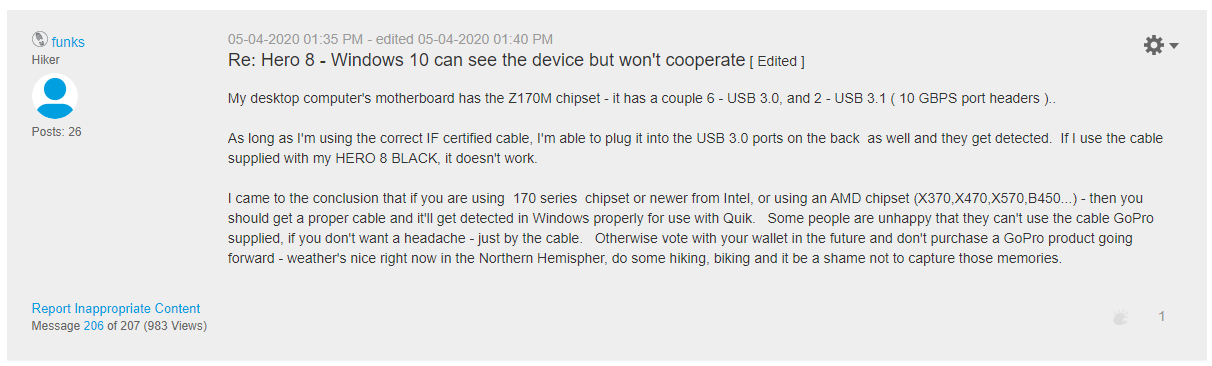
Just got myself a GoPro Hero 8 Black. Very nice until I tried to plug it in to my laptop (Lenovo Legion Y530) to download the test videos. GoPro detected USB and changed to USB mode, but Windows did not show the device or disk drives that you’d expect. Well, after a bit of research, it seems that the USB cable that comes with the GoPro is not USB 3.0 (white connector) and does not work on laptops with USB 3.0 ports only. When I changed to a USB 3.0 cable (blue connector), everything works as expected.
I was a bit disappointed, why do they save 1 cent on a cable that comes with a 379 EUR camera?
Here’s the reference. Thank you all for the info. Could not comment or thank in the forums so decided to write my own blog post. Hopefully someone else gets help from it.
Vesikiertoinen lämmitys, osaksi pattereilla, osaksi lattialämmitys (n. 30 neliömetriä)
Sijainti: Etelä-Pohjanmaa
Taustaa
Kiinteistössä oli alunperin öljy/puulämmitys. Pannuhuone alkoi olla remontin tarpeessa, ja ensimmäisenä mieleen tuli vaihtaa maalämpöön, varsinkin kun muutaman tontin päässä oleva naapuri oli tehnyt vastaavan tempun edellisenä vuotena. Ensimmäiseksi tontille porattiin 2 kpl n. 42 metrin syvyisiä reikiä, mutta molemmilla kerroilla kallioporan eteneminen tyssäsi siihen. Ilmeisesti vastaan tullut kallio oli niin kalteva, että terän leikkaava osa ei osunut kallioon. Kukaan ei tätä saa tietää, vaan porausfirma pakkasi kamansa ja me saimme 2 ilmaista porakaivoa. Veden pinta on parin metrin syvyydessä.
Tämän jälkeen piti keksiä suunnitelma B. Kolmas reikä olisi vaatinut isompaa poraa, mutta reiän hinta olisi pompsahtanut kymmeniin tuhansiin euroihin. Päädyimme kokeilemaan vesi-ilma-lämpöpumppua, eli ilmalämpöpumppua mikä lämmittää varaajassa olevaa vettä. Muuten kone on samanlainen kuin maalämpöpumppu, mutta neste ei kierrä maassa vaan ulkona olevassa isossa syylärissä. Parempi kuin öljy tai suora sähkö mutta ei niin energiatehokas kuin maalämpö. Tämä oli taas näitä hetkiä kun päätös piti tehdä hatarien tietojen pohjalta, sillä kovin tieteellisiä numeroita ei tarjolla ollut. Paljon on mutua ja hössötystä erilaisilla foorumeilla. Tästä syystä päätimme asentaa alusta alkaen koko höskän oman sähkömittarin taakse, että saamme kulutuslukemat selville. Periaatteessa tätäkään blogikirjoitusta ei olisi ilman tuota n. 300 euron lisäinvestointia. Ole hyvä.
VILP tuli taloon
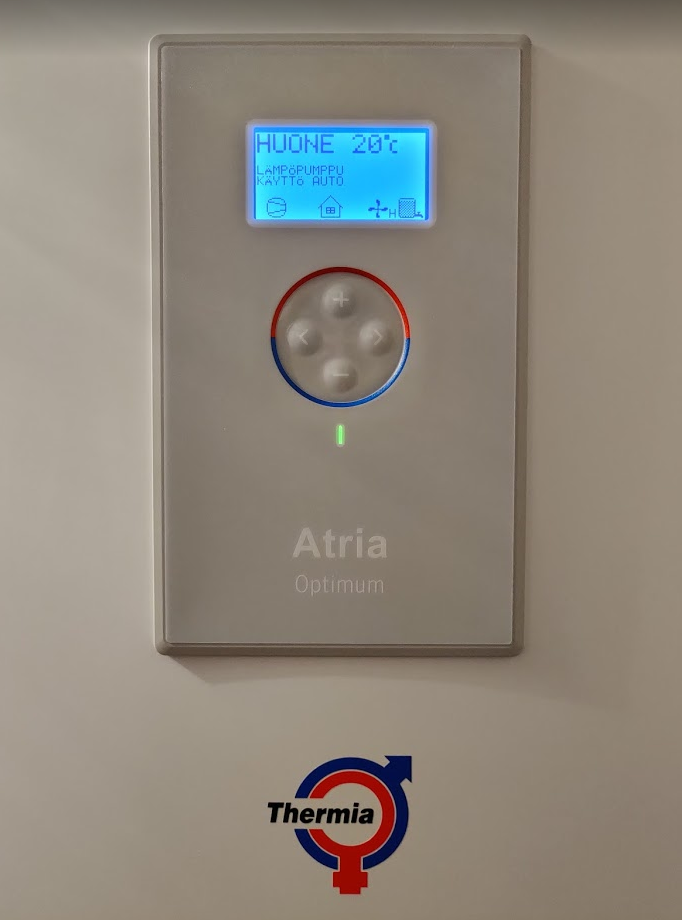
Pumpuksi valitsimme Thermian Atria Optimumin, sillä siinä kompura on sisäyksikössä ja ulkona kiertää vain pakkasneste, päinvastoin kuin jossain kilpailijoissa missä kompura on ulkona pörisemässä ja jopa lämmitettävä vesi kiertää ulkona. Muutenkin merkki vaikutti laadukkaalta, kaikki pumput säätyvät portaattomasti jne. Otettiin 8 KW malli, vaikka ehkä 6 KW:lläkin olisi pärjännyt.
Thermia Atria Optimum
Pumppu asennettiin kesällä 2013. Sen jälkeen on merkitty ylös kwh-mittarin lukemat kuukausittain. Nyt kun sillä on takanaan 6 täyttä kalenterivuotta voi melko varmasti sanoa mitä tämän talon ja käyttöveden lämmittäminen keskimäärin kustantaa.
Keskimääräinen kulutus vuodessa on ollut 7800 kWh. Vuosittainen vaihtelu on ollut +/- 10%, riippuen ulkolämpötiloista. Jos sähkö maksaisi 15 senttiä per kWh, tästä tulisi vuodessa 1170 euroa. Aiemmin öljyä poltettiin näppituntumalta n. 2500 litraa vuodessa. 90 sentin litrahinnalla tämä tekisi n. 2250 euroa. Rahaa säästyy vuositasolla siis n. 1000 euroa. Absoluttista kulutusta tarkastellessa täytyy huomioida, että talossa on vain yksi vakituinen asukas, joten lämmintä käyttövettä ei mene samaa tahtia kuin vaikkapa jossain lapsiperheessä. Suhteeseen öljylitrojen ja kilowattituntien välillä tämä ei kuitenkaan vaikuta.
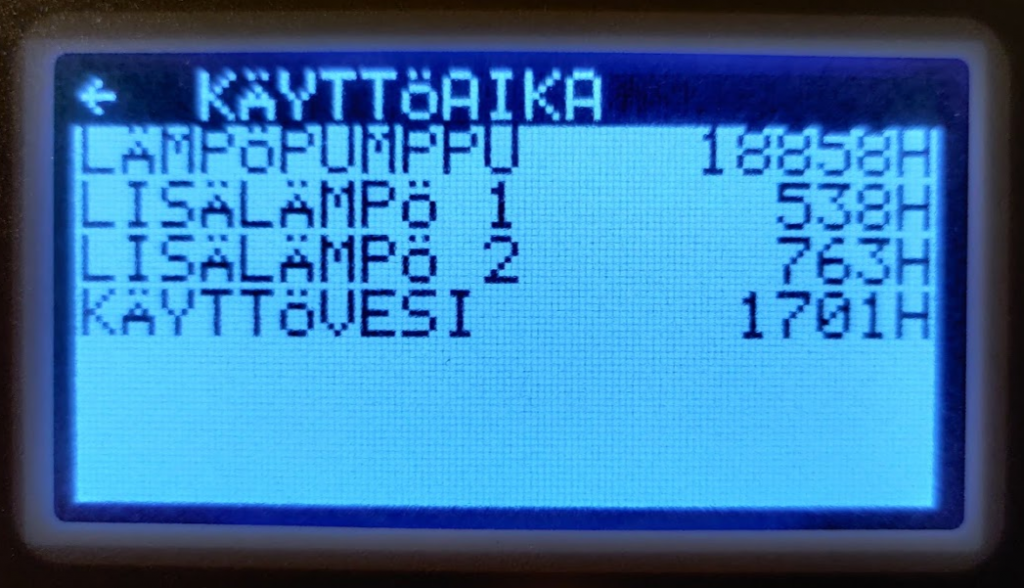
Käyttövettä on tehty 9% käyntiajasta. Kompressorilla on pärjätty 93,1% ajasta. Lisälämpövastukset ovat käytössä kun pakkasta on yli -20 C.
Takaisinmaksuaika?
Lämpöpumppu maksoi asennettuna n. 13000 euroa. Yksinkertaisella jakolaskulla saadaan takaisinmaksuajaksi 13 vuotta (öljylasku vs. sähkölasku). Vanha kattila, varaaja ja poltin olivat kuitenkin jo vaihtokunnossa, ja pysymällä samassa lämmitystavassa niiden vaihtaminen uusiin olisi sekin maksanut helposti 5000-8000 euroa. Joten oikea lisäkustannus pumpusta on 5000-8000 euroa, ja takaisinmaksuaika 5-8 vuotta, jonka jälkeen rahaa alkaa säästyä.
Täytyy kuitenkin muistaa, että Thermian pumppu toi mukanaan muitakin säästöjä, mitä on vaikea mitata suoraan rahassa. Otimme lisävarusteena saatavan Thermia Onlinen, minkä avulla pumppu lähettää käyttötilastot sekä hälytykset nettiin sekä sitä pystyy hallitsemaan nettiselaimella mistä vaan. Pannuhuoneeseen ei käytännössä tarvitse mennä enää lainkaan, paitsi vapaaehtoistoimintana kerran kuussa laittamaan sähkömittarin lukeman ylös. Ennen shuntin ja kiertovesipumpun säätö tehtiin käsin sään mukaan, ja kattilaa ja hormia joutui kolaamaan, jne. VILP ei nokea, ja pannuhuone on käytännössä edelleen saman näköinen kuin 6,5 vuotta tehdyn remontin jälkeen.
Jossittelua – entäs maalämpö?
Voi vain spekuloida, mitä numerot olisivat maalämmön kanssa. Pääomaa olisi varmasti tarvittu kaivon poraamiseen n. 5000 euroa enemmän. Hyötysuhde olisi varmasti ollut jonkin verran parempi. Jos spekuloidaan, että silloin olisi pärjätty vain 6000 kWh vuodessa, jolloin maalämpö olisi säästänyt 1800 kWh (n. 270 euroa). Kaivon takaisinmaksuaika olisi siten n. 18,5 vuotta. Sen jälkeen maalämpö olisi säästänyt ilmalämpöön verrattuna sen 270 euroa vuodessa. Ehkä.
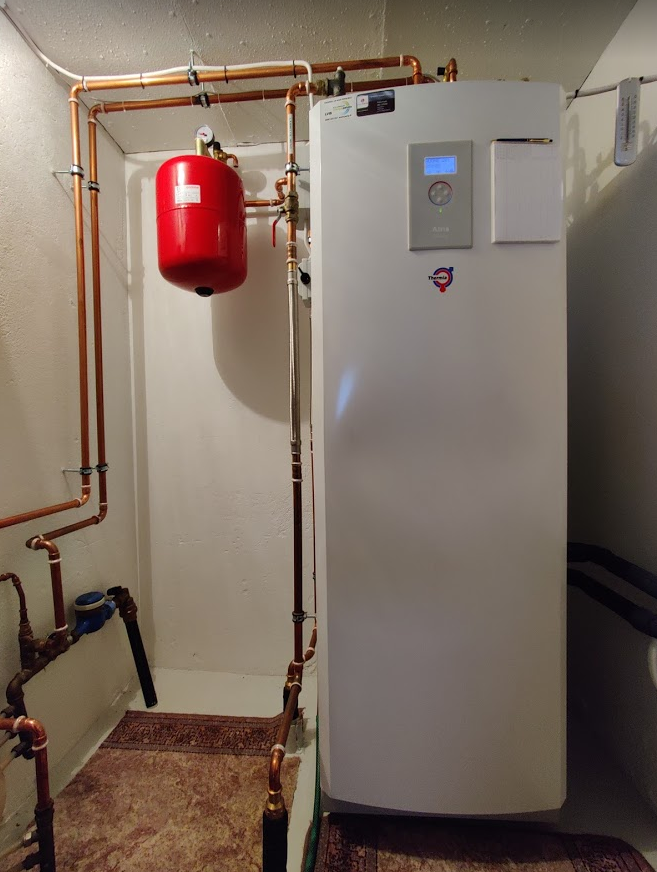
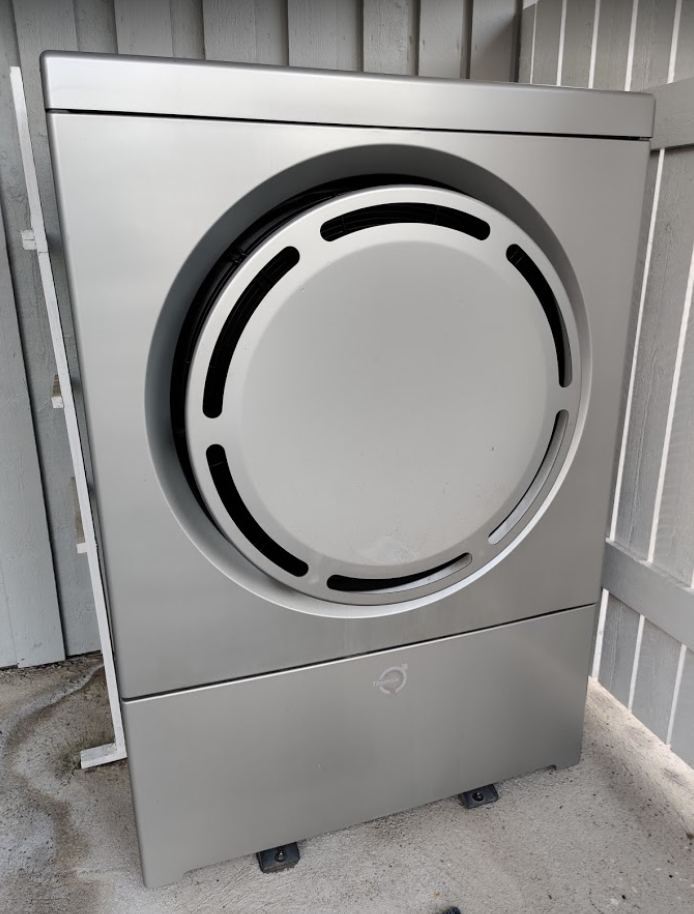
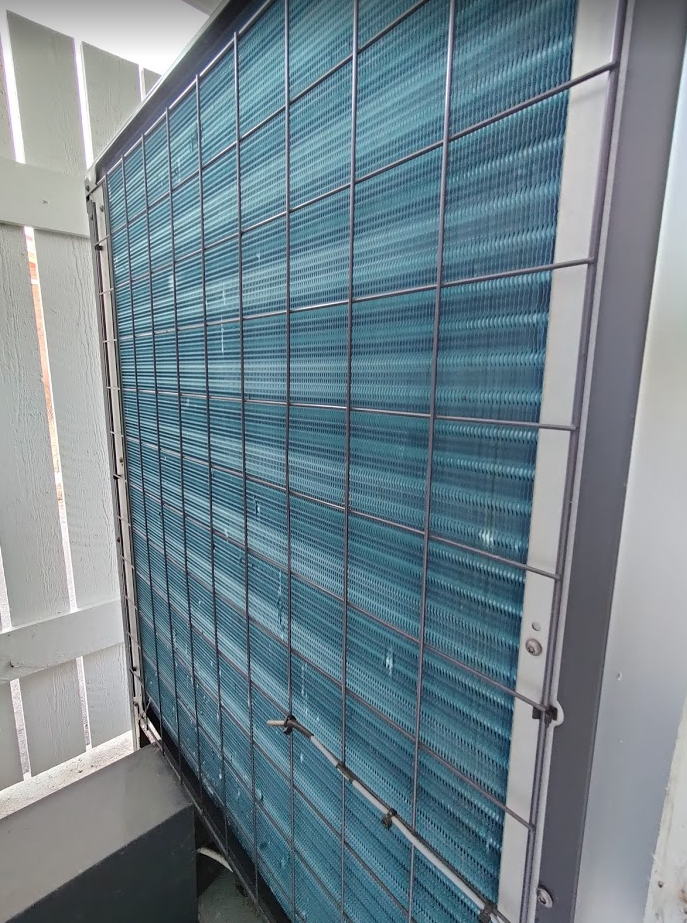
Pannuhuone 2020.Thermian ulkoyksikkö. On muuten todella hiljainen.Ulkoyksikkö takaa. Kondensiovesi ohjataan sisälle viemäriin.
Yhteenveto / TL;DR
6 vuoden havainnointiaikana sähköä on mennyt lämmitykseen ja lämpimään käyttöveteen keskimäärin n. 7800 kWh vuodessa. Epätieteellisesti laskettu takaisinmaksuaika lienee 5-8 vuotta jonka jälkeen investointi alkaa tuottaa voittoa verrattuna öljylämmitykseen.
Talo pysyy täysin automaattisesti tasaisen lämpimänä ulkolämpötilasta riippumatta, ympäri vuoden. Tälle mukavuudelle on vaikea määritellä tarkkaa hintaa, riippuu ihmisestä.
Olemme olleet toistaiseksi tyytyväisiä vesi-ilma-lämpöpumpun hyötysuhteeseen, käytön helppouteen sekä Thermian laatuun.